Audio · scenes and titles
Glass
Your title, 113 finishes.
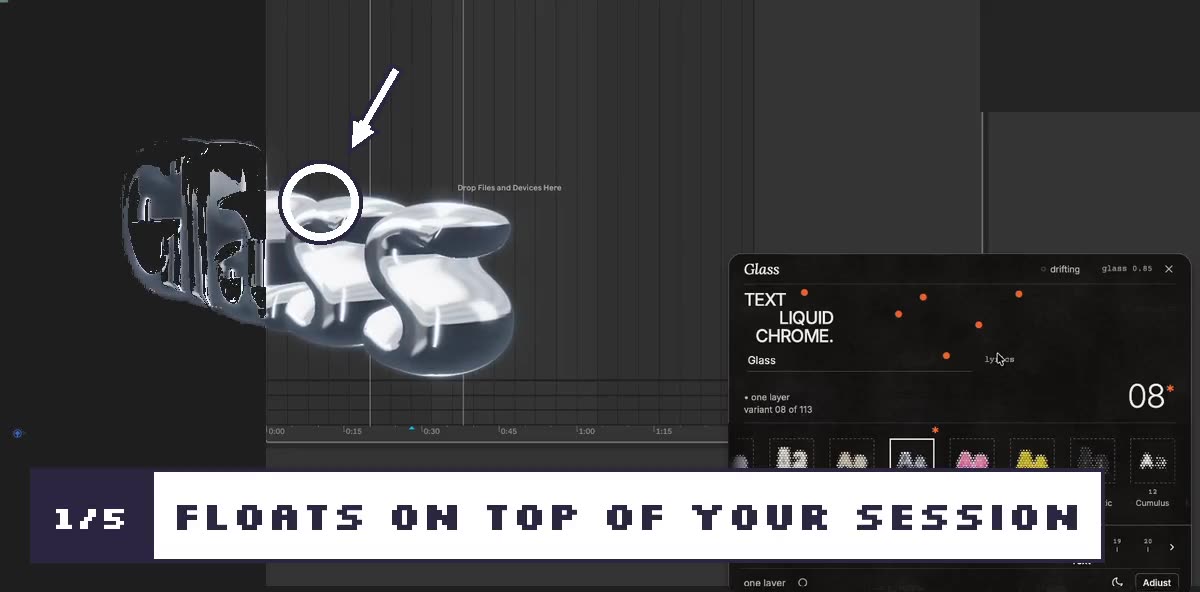
Glass sets a name, a song title or your own words in finishes like liquid chrome, neon tube, disco mirror and party balloons, with 3D objects that move to the music. Float it over your session with no background around it, or go full screen for your screen recorder.
What you can do
- Floats on top of your sessionNo box around it, just what Glass draws.
- Type a title. 113 finishes.Liquid chrome, rose flow, disco mirror, neon tube and the rest.
- Your own words, lit upAny word or name, in any finish.
- Objects that move to the musicFur, shards, planets and more, reacting to the track.
- Change the look in one clickPreview a preset, then click to keep it.
Start here
- Put Glass on a track that has sound, such as the master or a bus. It's an audio effect, and the sound passes through unchanged.
- Open its window and type your title.
- Pick a finish and a scene. Preview a preset, then click to keep it.
- Press Float: the visual moves into its own see-through window above everything, with no background. Return brings it back.
Getting the video out
- Float, then screen-record: macOS's own recorder is Shift-Command-5. Record just the area around the visual.
- Full screen: for a clean recording of the whole display.
What it needs
- macOS
- 11 Big Sur or later.
- Mac
- Apple silicon or Intel.
- Formats
- Audio Unit and VST3.
- Download
- 463 MB.
Good to know
- The floating visual opens on your main screen. Drag it to another screen if you work across two.
- Glass draws in 3D with your Mac's graphics. We've checked it on Apple silicon; on an older Intel Mac, heavy scenes may run slower.
More help: Help · This guide as a PDF · Version history · All four plug-ins